Stop Paying for Guitar Apps: 12 Free Guitar Tools Every Player Needs
We recently asked our audience of 50,000+ guitarists what they spend money on the most, and if it wasn’t pedals or guitars, it was guitar apps and chord books.
So we took it upon ourselves to create a free hub of all the best guitar tools you need to make playing easier and improve your skills. All of these tools live on our website, and they are completely free to access.
Some tools you’ll need everyday, and other tools are nice-to-haves as you learn something new, so we highly recommend bookmarking this page or the specific tool(s) you like the most so you can come back anytime and use it.
Here’s a breakdown of each of our 12 tools, what it can do for you, and how to get the most out of it:
1. Guitar Chord Library & Finder
This has been our most popular tool so far, and it’s the one we use the most ourselves, too.
Pick any root note and any chord type, from plain old major and minor all the way out to the ones like m7b5 and add9, and you’ll get clean diagrams with finger numbers, the notes in the chord, and a button to hear it played.
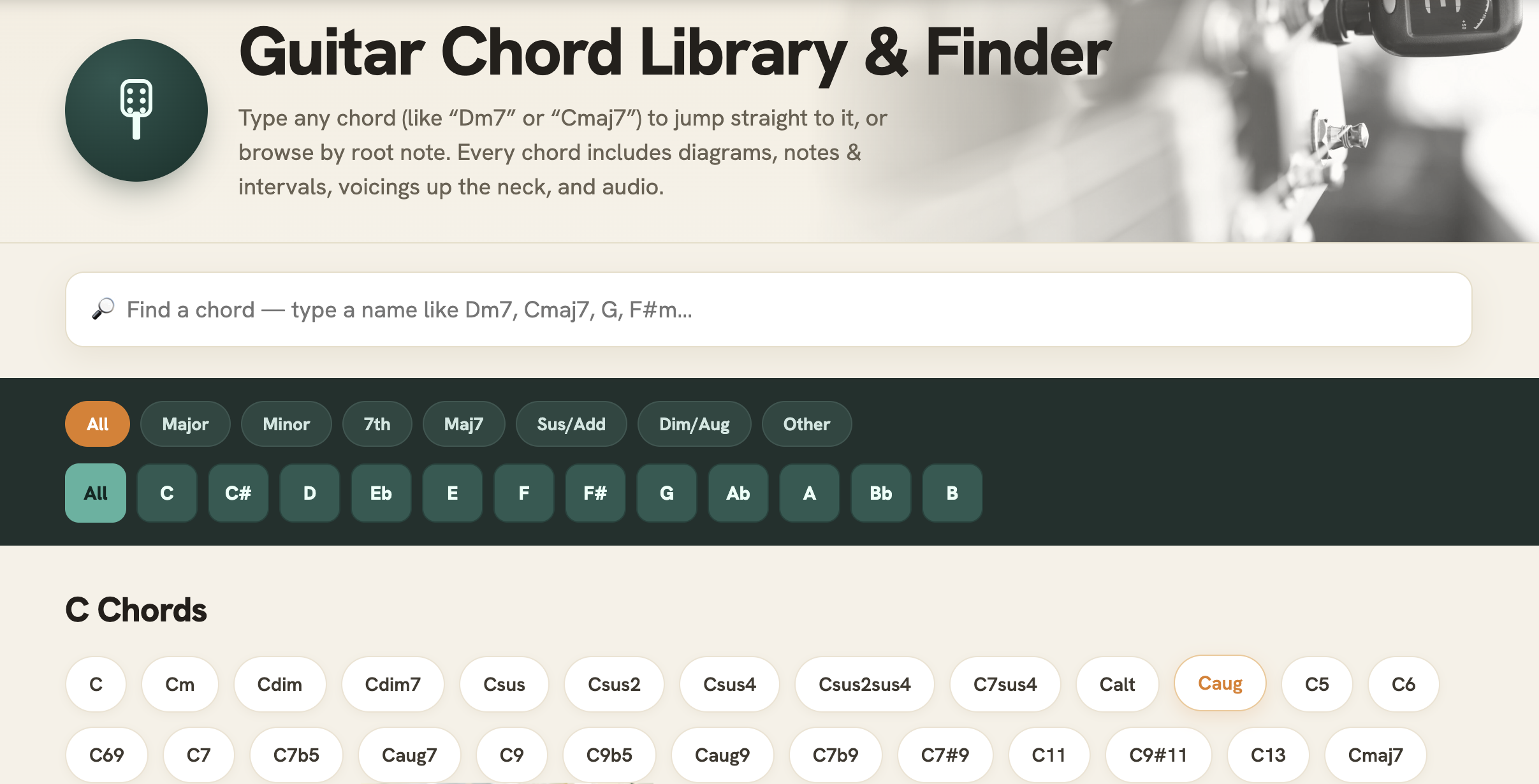
The thing we really wanted to change that most chord sites get wrong is they show you ONE way to play each chord. We built ours to show multiple voicings for every chord, all the way up the neck.
Because the “right” way to play a C major depends entirely on what you’re playing. Campfire strumming wants the open shape, funk wants the little three-string voicing at the eighth fret ..you get the picture.
And when you’re learning a song and a chord feels impossible, there’s almost always an easier grip for the same chord just two frets away. Most players never find it because their chord chart didn’t showed it to them.
And if barre chords are still beating you up, this is where you find your escape routes. Look up the chord, scroll the voicings, and grab the one your hand can handle. That way you can move on with your practice and graduate to the full barre later.
BEST USED FOR:
- Learning new songs
- Finding easier voicings
- Learning what the “weird” chords are
2. Scale Library
The Chord Library is where you learn what to play with your fretting hand and the Scale Library is where you learn where to go when you solo.
To use it, pick a root and a scale, major, minor, all the pentatonics, blues, the modes, harmonic minor, the whole menu, etc, and you’ll see the fretboard with every note in that scale.
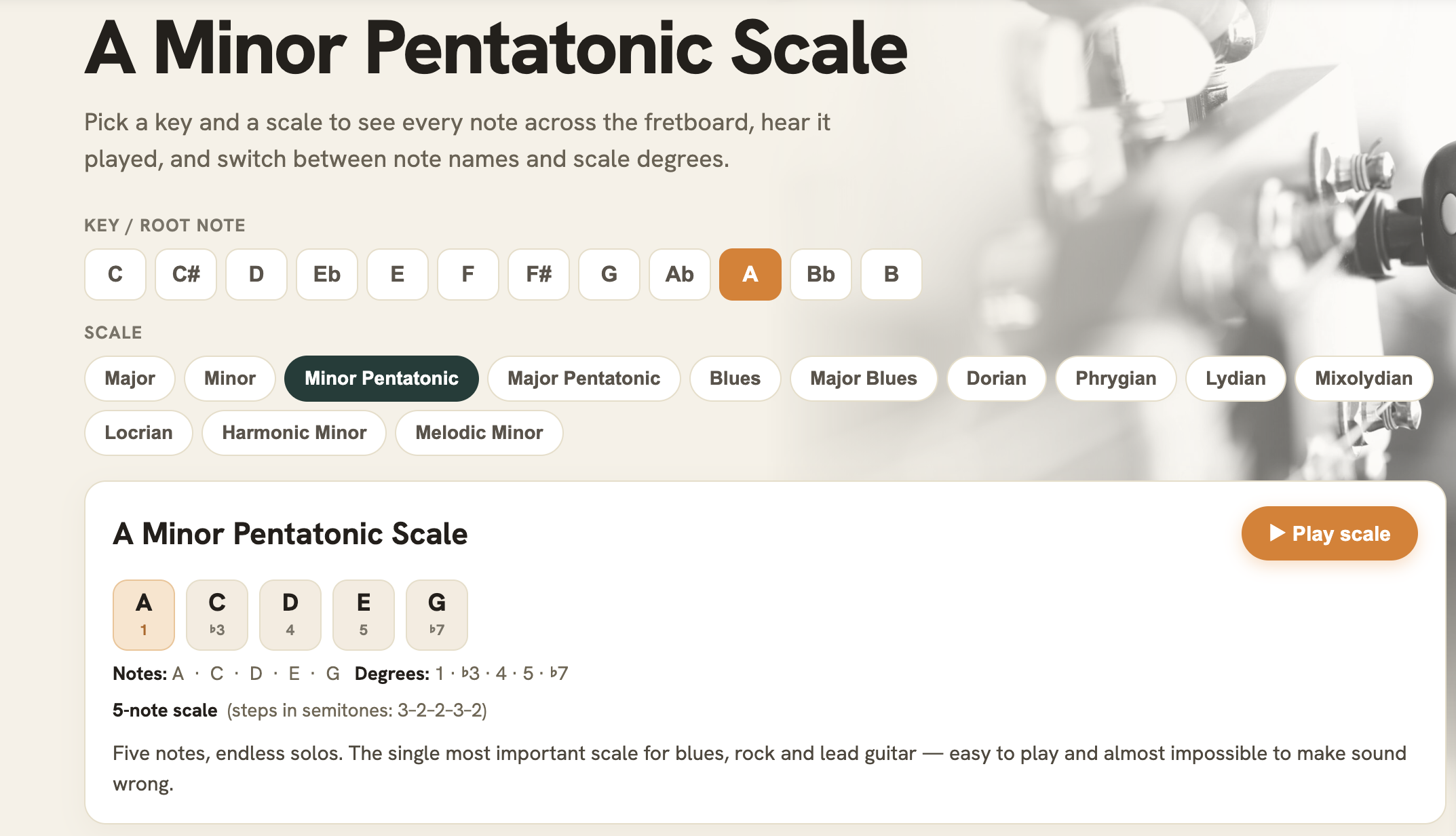
Every note is labeled by scale degree, that way you’re not just memorizing dots. You can see which note is the root, which is the third, which is the one that gives the scale its flavor, etc.
And you can hear each scale played, so your ears learn it alongside your fingers.
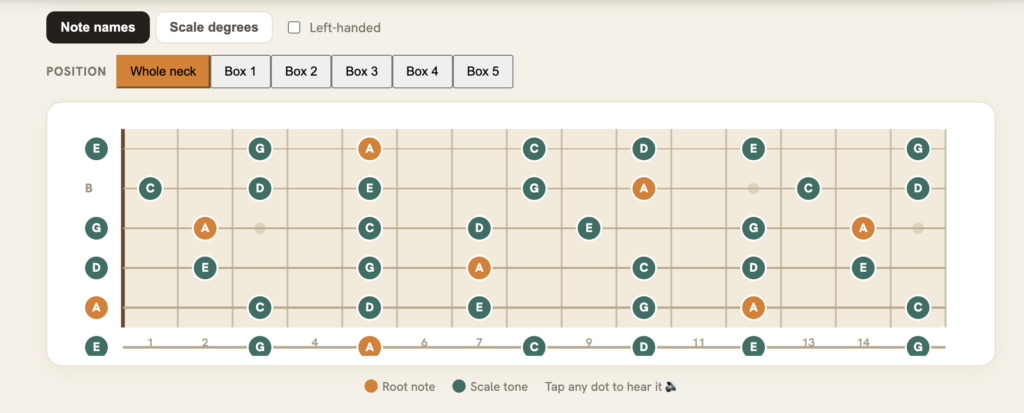
In our opinion, the best part is the pentatonic five-box view. Almost every guitarist learns box one of the minor pentatonic and then stays there for years. Our tool shows you how all five boxes connect into one up the neck. This is what changed my playing permanently because once you see the overlap, you can’t unsee it.
So, click through to our Scale Library and pick the key of your favorite backing track. From there, pull up the scale, and just explore the whole neck instead of staying in your usual spot. If you’re going to spend time noodling, do this instead and you’ll see the difference.
BEST USED FOR:
- Learning to solo beyond box one
- Understanding what the modes are
- Warmups that go beyond noodling
3. Scale Finder
There’s one question that guitarists ask over and over and over again.. “what scale do I use over these chords?”
Our Scale Finder tool will help answer this.
To use it, type or tap in the chords of your song. Am, F, C, G.. really whatever you’re jamming over. The Scale Finder will then instantly check every scale against your progression and show you what fits, with the single answer at the top so you’re not sorting through tons of options.
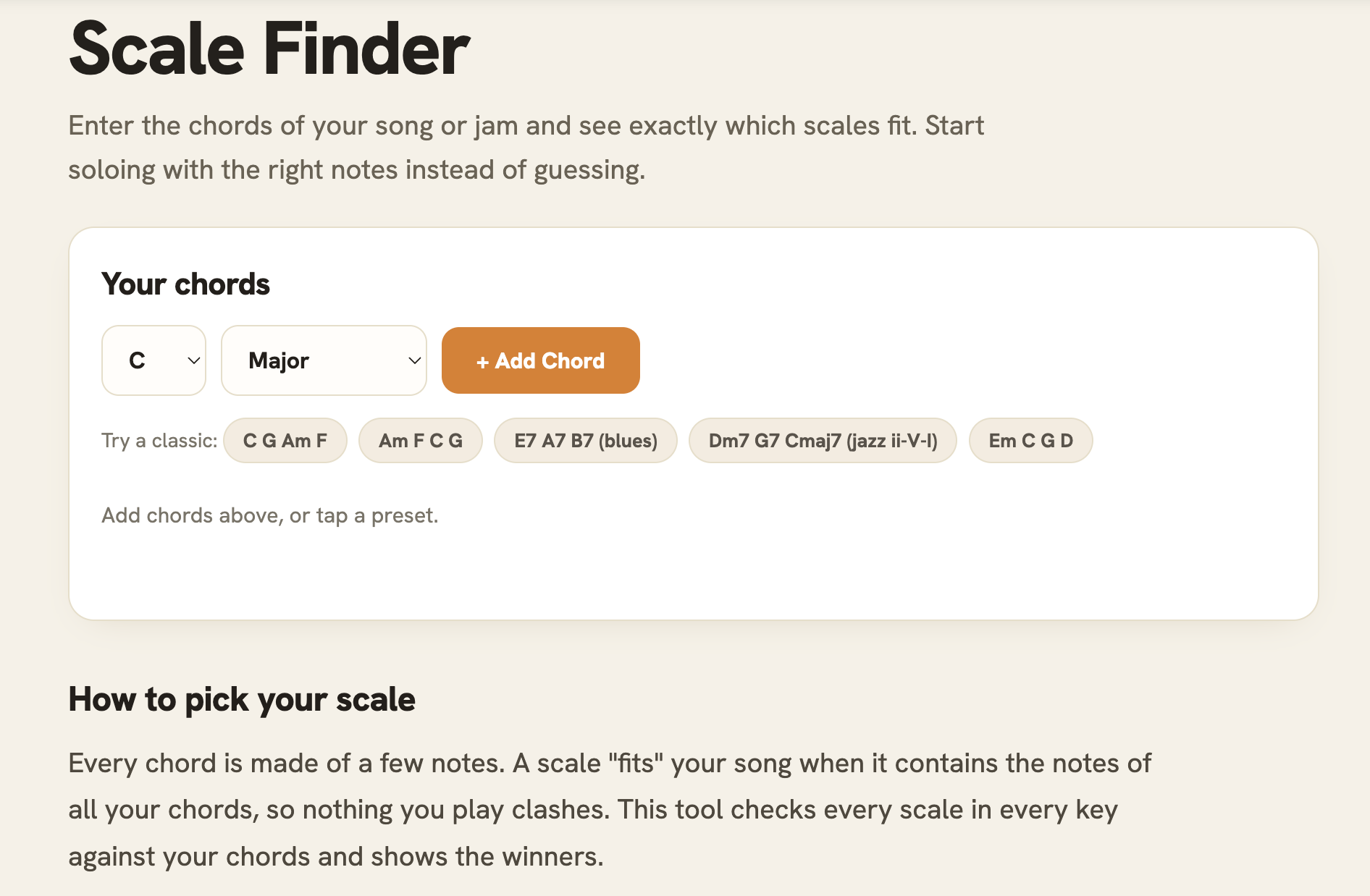
It also tells you WHY each scale works (and in plain English so your eyes don’t glaze over 🤣). We’ve built our tool so that it knows that some scales contain every note of every chord, it knows that some are smaller scales with zero wrong notes, and all of this info helps it explain the answer to you.
We’ve also noticed that most scale tools only check “does this scale contain all the chord notes,” which wrongly disqualifies the pentatonic over almost everything. Our tool also checks the reverse, so it knows the minor pentatonic is a perfect, safe fit over a full minor progression AND that Dorian is the pro answer over a two-chord vamp.
And every result links straight to the full fretboard map in our Scale Library, so it’s two-clicks from “what do I play” to “here’s every note, go.”
BEST USED FOR:
- Jamming over songs
- Writing solos
- Getting an answer about theory without the theory lecture
4. Arpeggio Library
Arpeggios are chords played one note at a time. You probably already know this, but stay with me.
Arpeggios are a simple idea, but they’re also the reason why some solos sound like they FIT the song and others sound like a scale exercise.
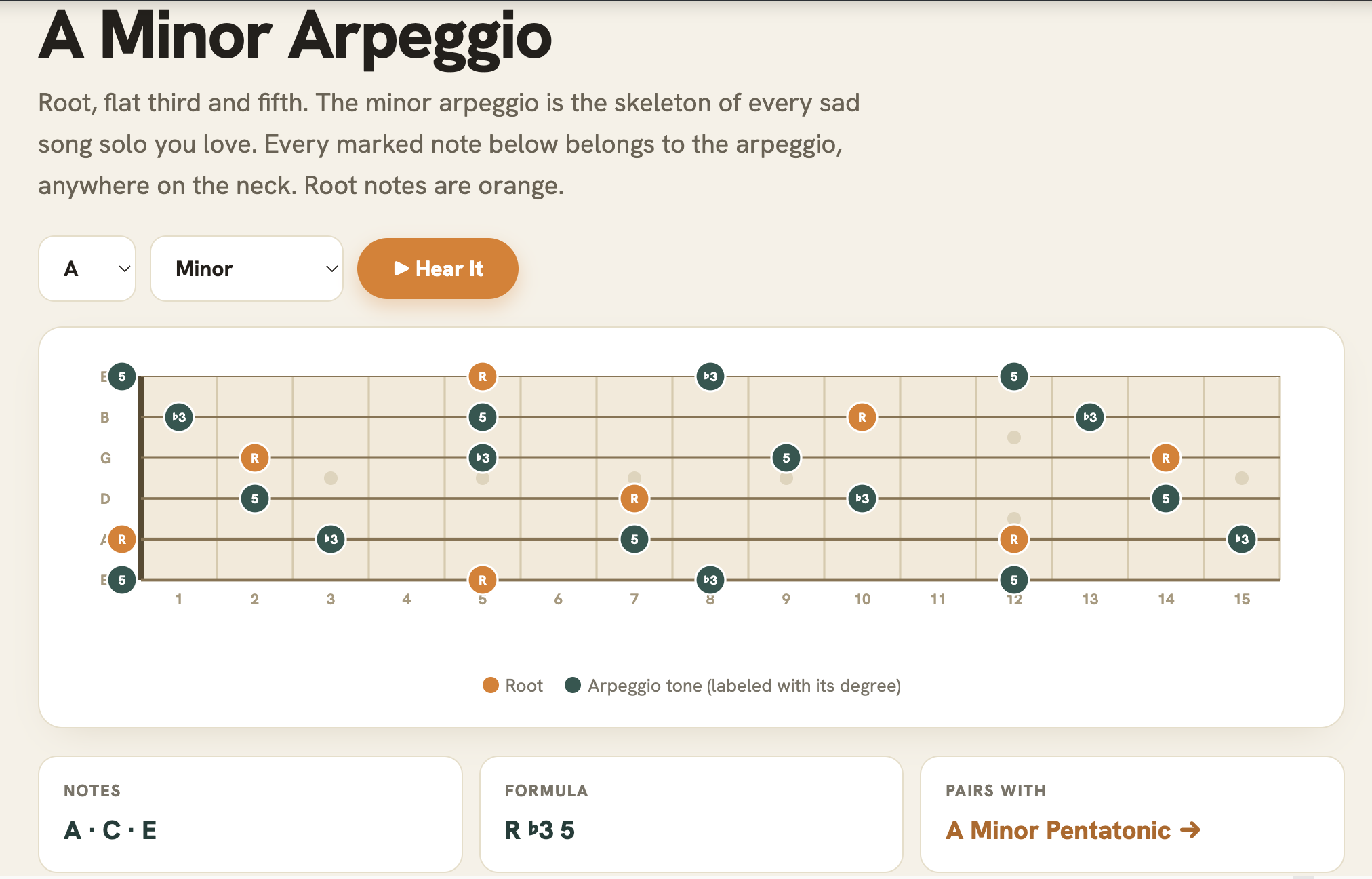
To use our tool, you’ll pick any root note and any arpeggio type (major, minor, all the sevenths, diminished, augmented, sixths) and you’ll get the full fifteen-fret neck with every arpeggio note mapped and labeled by degree.
Root notes are marked in orange so you always know where home base is, no matter where you are on the neck.
Then, you can click the “Hear It” button and the tool plays the arpeggio two octaves up and back down, so you know what you’re aiming for before you attempt it.
The best part, in our opinion, is the “pairs with” link. Every arpeggio points you to the scale it lives inside. Say you learn the A minor 7 arpeggio, then click through to A Dorian, and now your chord tones and your scale runs are all one map. That connection is what turns you into a lead player.
If you’re new to this, start with the minor 7 arpeggios; they show up in almost every genre and make your pentatonic licks sound more intentional.
BEST USED FOR:
- Solos that follow chord changes
- Escaping the pentatonic rut
- Sounding jazzy
5. Chords in a Key
This is one of our simplest tools, but you’ll use it constantly. All you do is pick a key, and we’ll give you every chord that belongs in it.
So let’s say you choose any major or minor key, you’ll see all seven chords in that key each with its Roman numeral. That way you can start thinking in numbers, the way songwriters and session players think.
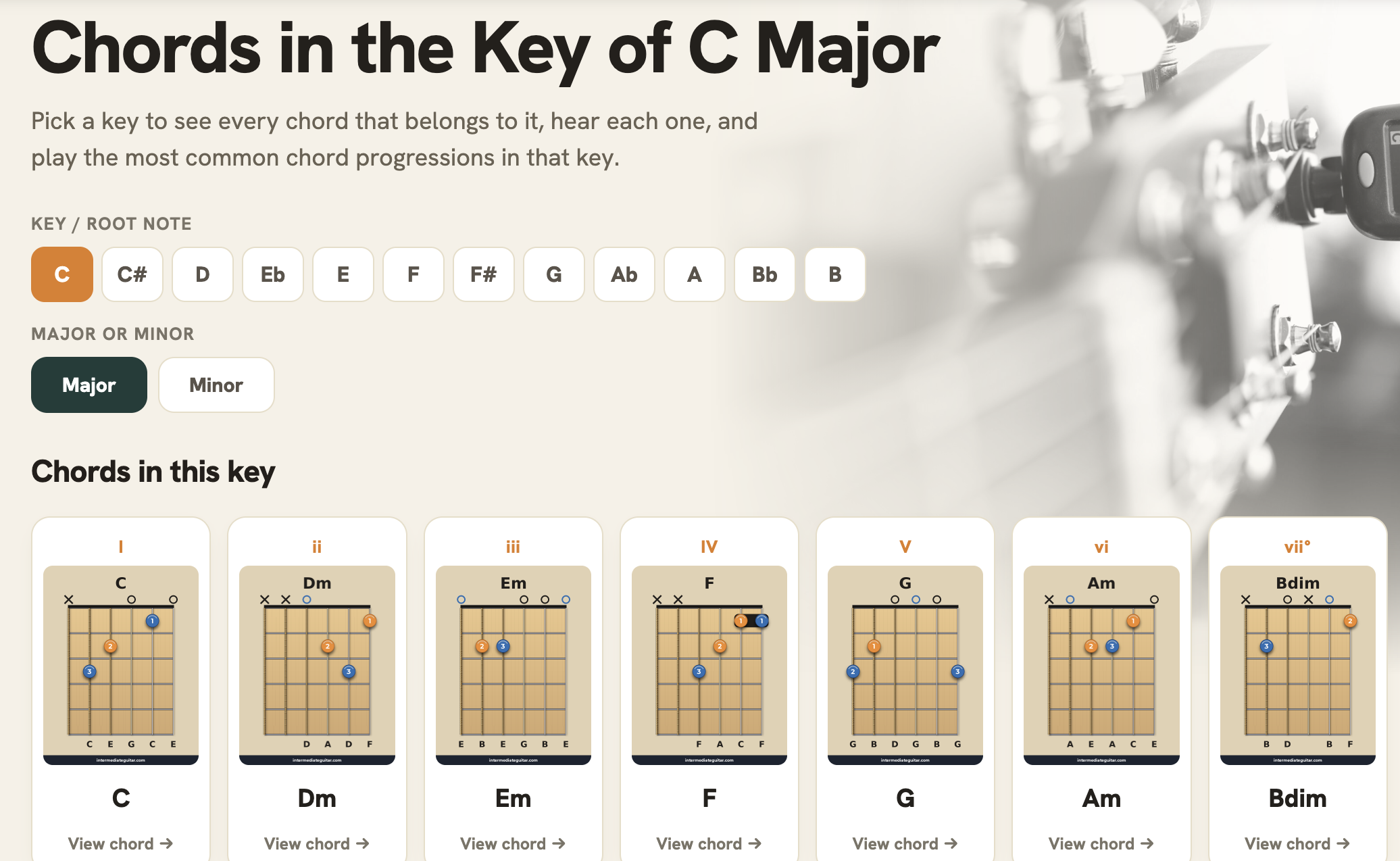
You’ll also see the classic progressions built from those chords. These are the ones behind about half the songs you already know.
This is the tool that answers “why do these chords sound good together?” They sound good together because they’re family. G, C, D, and Em aren’t random.. they all live in the key of G. And once you see the family tree, you can use it to write, predict, and figure out songs by ear.
This tool is especially great for what it does for songwriting. If you’re stuck after two chords, pull up your key and you’ve got five more options that are guaranteed to work, plus the numerals to tell you which ones are the workhorses (I, IV, V) and which add color (ii, iii, vi).
It’s also the best ear-training shortcut we know. When you’re figuring out a song, knowing the key narrows every chord down to about seven different possibilities.
BEST USED FOR:
- Writing songs
- Predicting the next chord by ear
6. Interactive Circle of Fifths
We recently asked our guitar community how many of them actively use the circle of fifths. About half of them said, “what are you talking about?” and the other half said “you’re using the circle of fifths regardless if you know it or not.”
If you’re in the first group and you’ve never quite understood what the circle of fifths does, spend a few minutes with our Interactive Circle of Fifths tool. Once the circle clicks, the fretboard opens up.
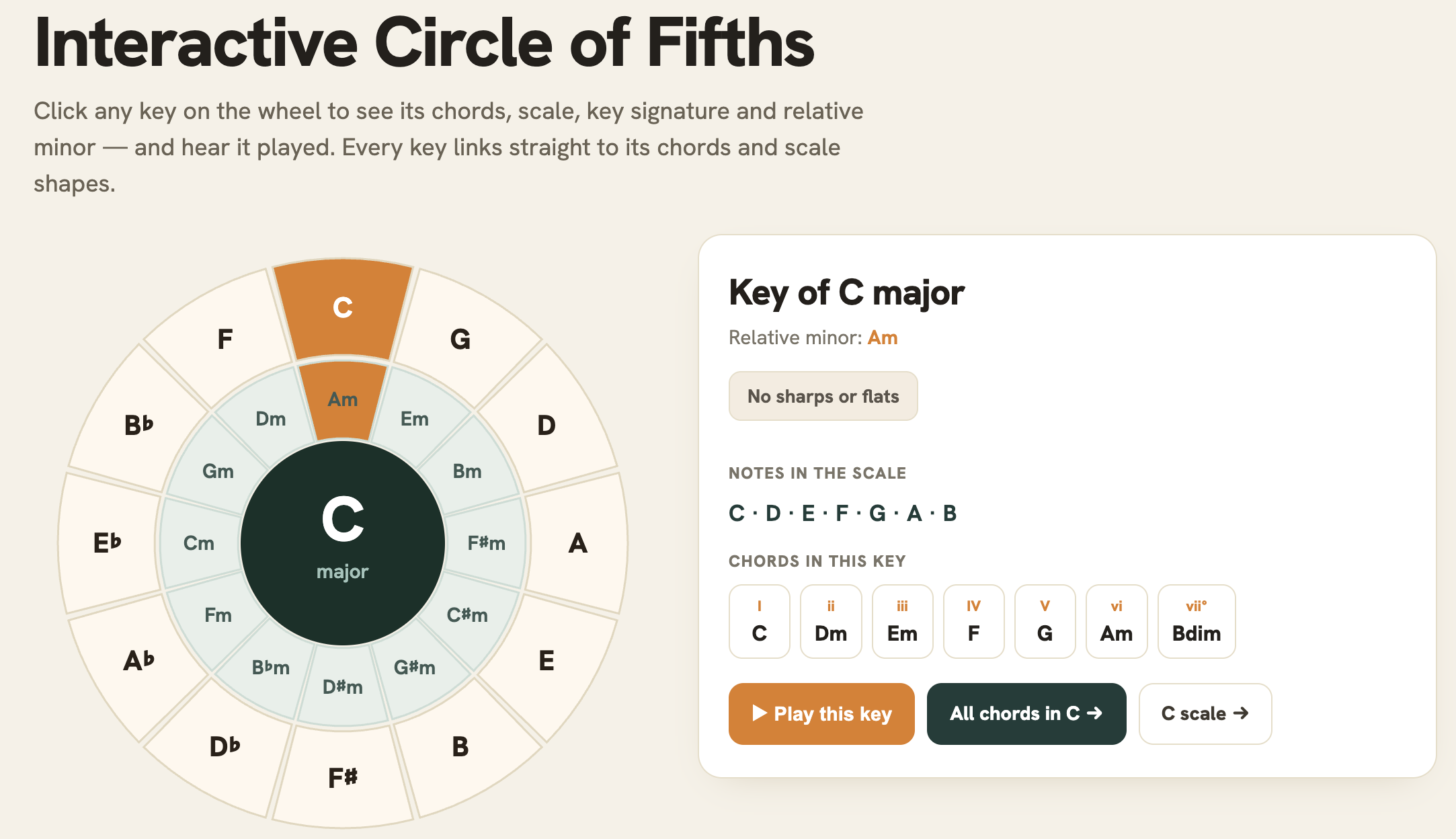
To use it, click any key on the wheel and everything about that key will appear: the key signature, the relative minor, the notes it contains, and every chord that belongs in it. You can hear it all played, too.
As you go around the wheel, patterns start jumping out in a really unique way; we find our interactive tool a lot more helpful than a static diagram.
As you’ll learn, the neighbor trick is one of the most eye-opening things you’ll learn from the circle of fifths. Basically, keys sitting next to each other on the circle share almost all of their notes. That’s why songs borrow chords from next door, why key changes to a neighboring key sound smooth, and why some keys feel “close” and others don’t.
In addition to our tool, we put a full written lesson and our video walkthrough below the tool, so you’re not just clicking a wheel.. we’ll explain it step-by-step as you follow along.
If music theory has always felt like homework, this is a great place to start.
BEST USED FOR:
- Learning keys
- Finding smooth key changes
7. Guitar Chord Analyzer
You know when you find a shape by accident, it sounds amazing, and you have no idea what it is? Our Guitar Chord Analyzer will solve that.
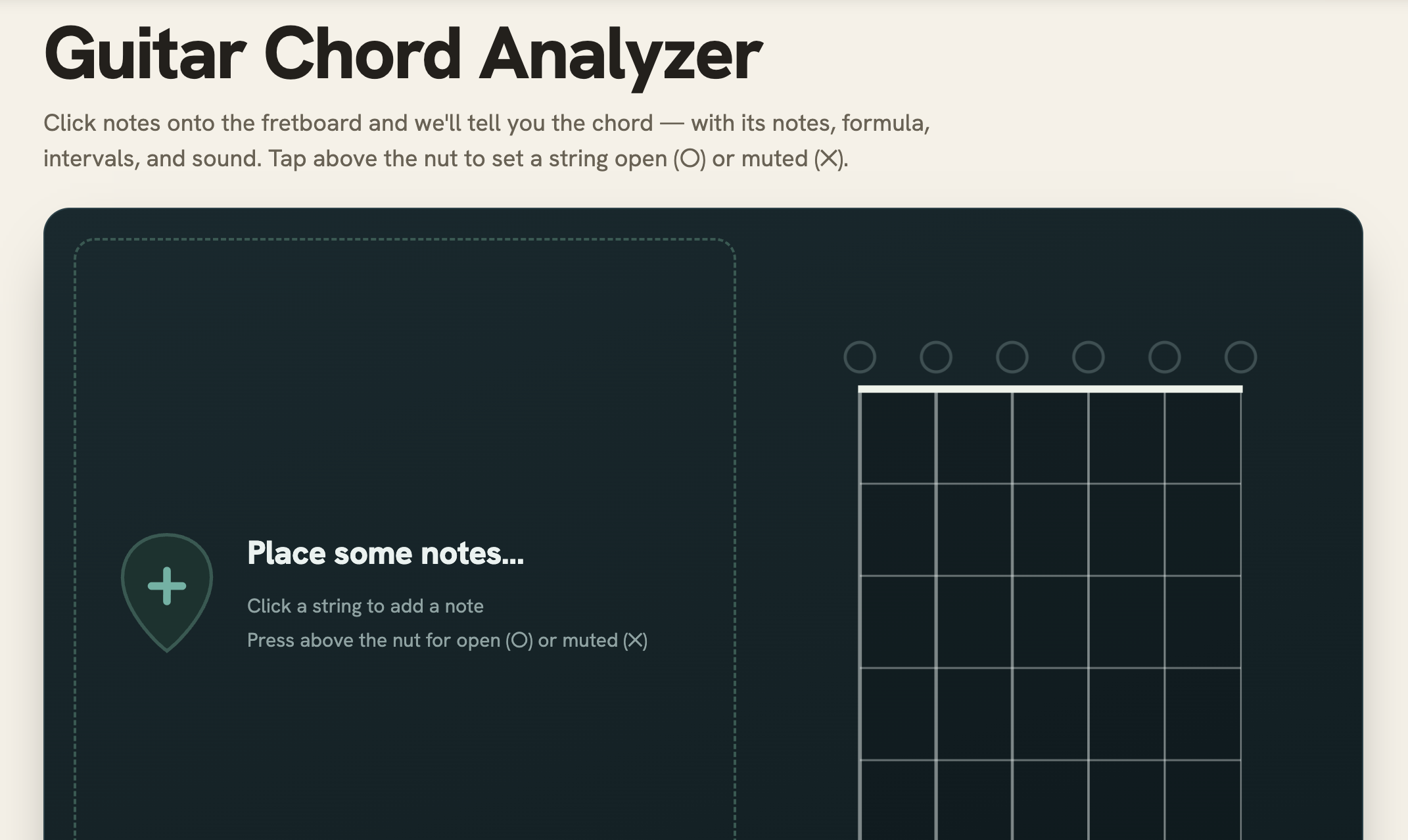
All you do is enter the frets you’re holding and the analyzer will name the chord. It’ll even catch the weird ones (your Cadd9s, your sus chords, the jazzy one you stumbled into at fret 7 at 11pm that you’re afraid to move your fingers off of because you’ll never find it again haha).
And once you know the shape is a Cmaj7, you can find it in other keys, look up what scale it lives in, and build a progression around it.
It’s also great for decoding other people’s playing. So what I do is pause a video of someone who is playing a song I like, figure out where their fingers are, and punch it into our Chord Analyzer tool.
BEST USED FOR:
- Naming chords you “made up”
- Decoding shapes from tabs and videos
8. Chord Transposer & Capo Calculator
Every guitarist eventually hits the wall where the song is perfect, but the key is wrong. Maybe it’s too high for your voice, or full of barre chords that you just aren’t getting.
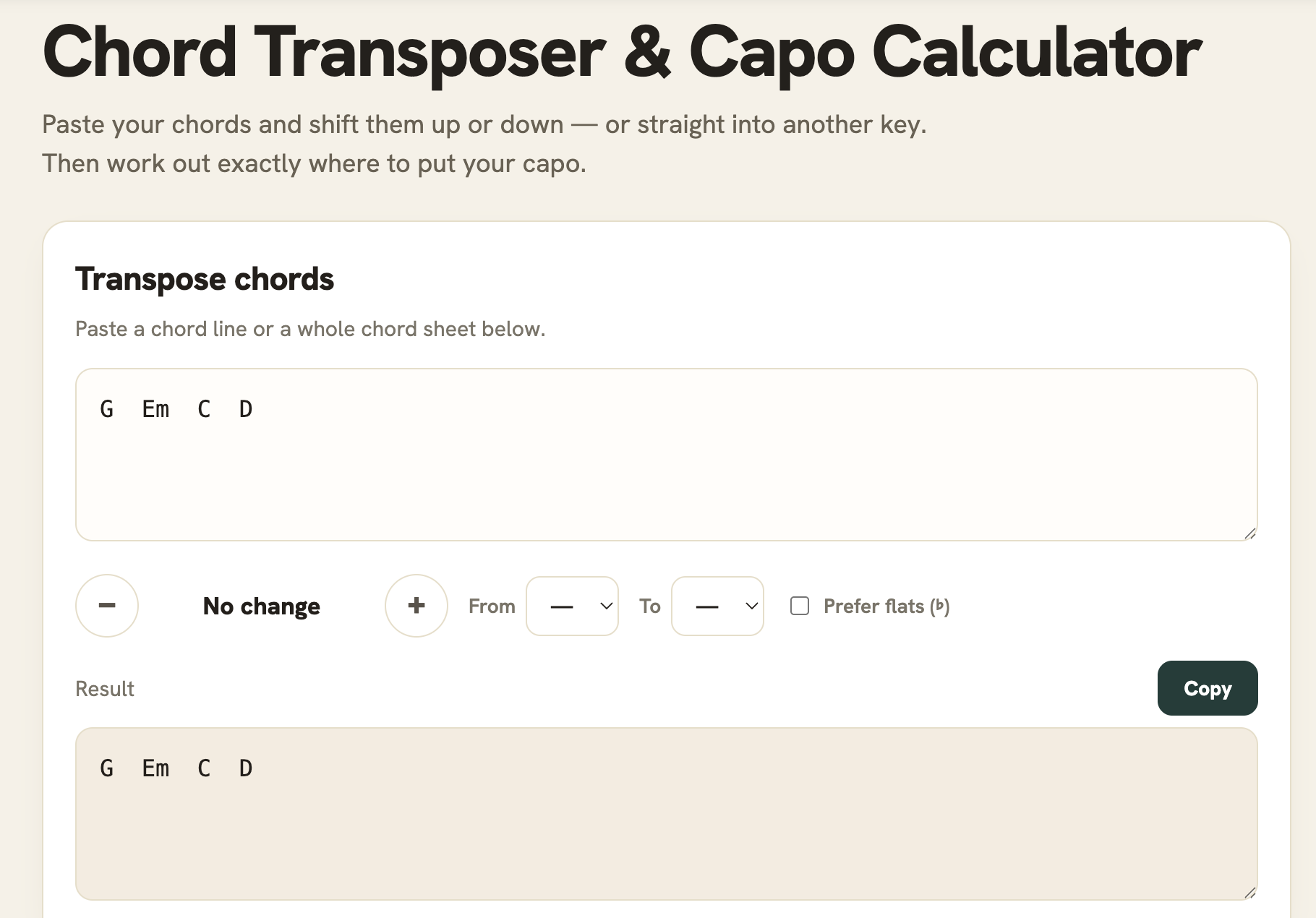
Our Chord Transposer and Capo Calculator tool can help! Just paste your chord sheet into this tool and move the song to any key. You can shift it up or down by steps, or tell it “this is in G and I need it in Bb” and every chord will convert instantly.. even slash chords.
Underneath the Chord Transposer is the Capo Calculator. You tell it what key you want to SOUND in, and it lists every capo position that gets you there using easy open shapes. So instead of grinding through an F#m barre chord, you learn that it’s capo 2 playing Em shapes, and then the hard song becomes easy.
It also works in both directions. It answers “I found a capo 4 version online.. what chords am I playing?” which is the question that confuses almost everyone the first time they use a capo.
If you play with a singer, or run song circles, bookmark this one and you’ll use it weekly.
BEST USED FOR:
- Matching songs to your singer’s range
- Turning barre-chord songs into open-chord songs
- Understanding what your capo is doing
9. Online Guitar Tuner
We’ll be honest, we went overboard on this one, but we did it on purpose because there are tuning tools and apps that charge for this kind of thing. We wanted to be the most robust free online tuner tool there was. And I think we accomplished that.
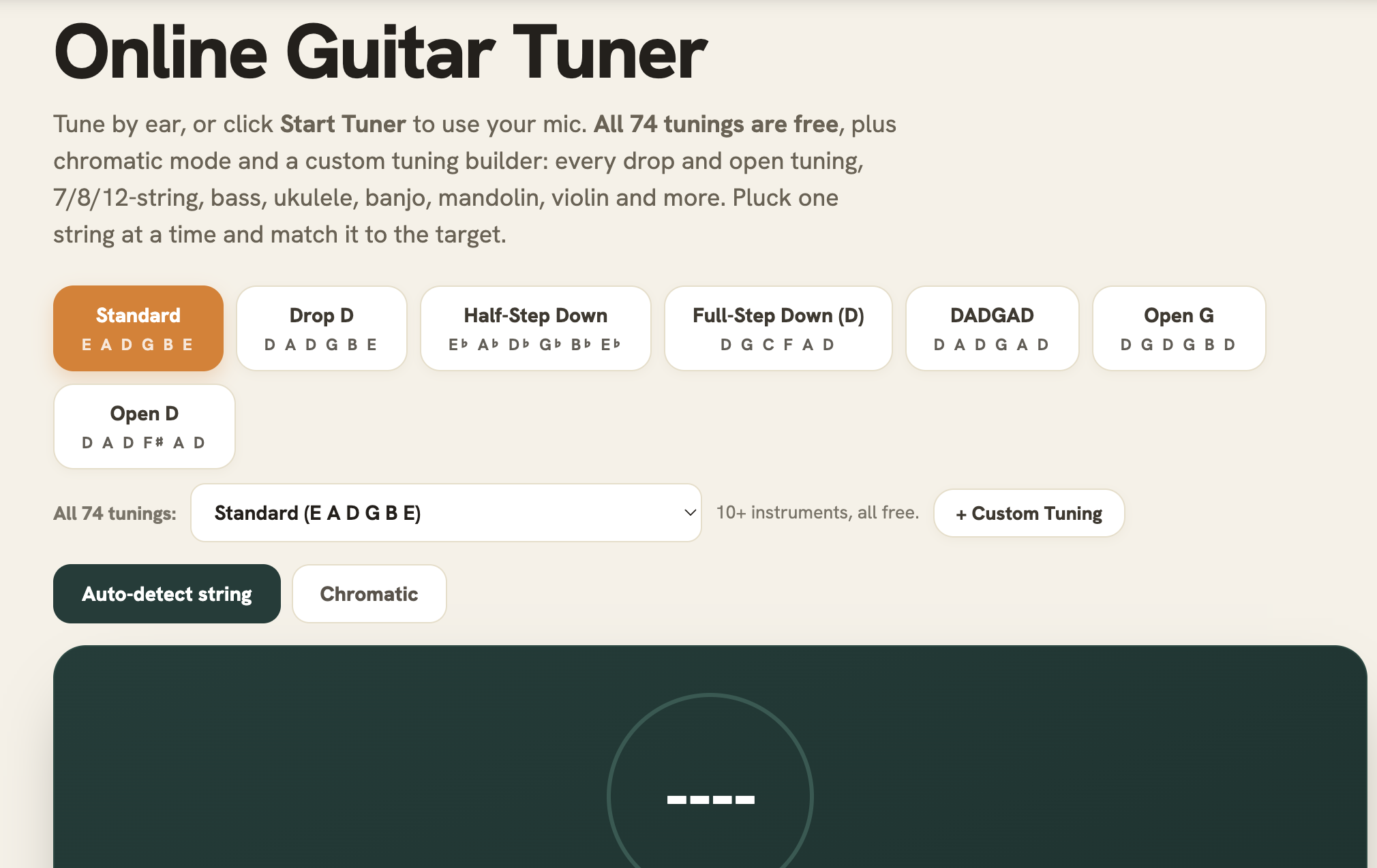
Our Online Guitar Tuner is a microphone tuner with a live needle and it works right in your browser. You know how a tuner works, so I don’t need to go in detail, but you’ll play a string, watch the needle, tune until it’s green, and bam, you’re done!
If you’d rather tune by ear, every string has a reference tone you can play and match. And there’s a full chromatic mode that tells you whatever note it hears, for anything the presets don’t cover.
So how did we go overboard with this tool? We included 74 tunings. Anything from standard and every drop tuning, to open G, to open D, DADGAD, and the rest of the open family, plus 7-string, 8-string, 12-string, bass, ukulele, banjo, mandolin, and violin.
The popular ones are displayed at the top, and the full list is organized by category in the dropdown.
BEST USED FOR:
- Tuning anything with strings
- Drop C without paying for an app
- That weird tuning your favorite band uses
10. Online Metronome
We get it… nobody’s excited about metronomes. They’re the most boring guitar tool there is. But the difference between a player who sounds “pretty good” and one who sounds incredible is timing.
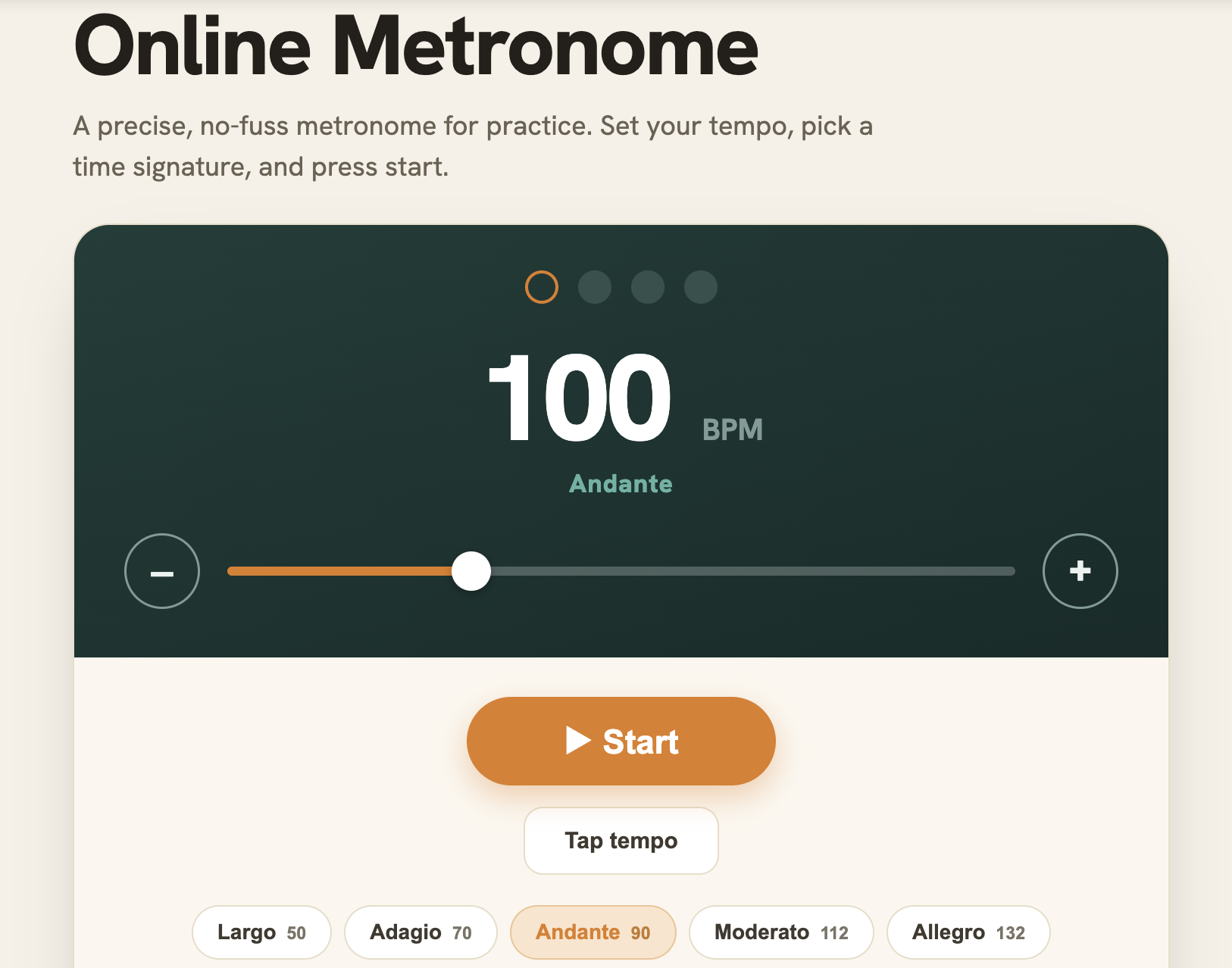
So we built a metronome that helps you accomplish that. Just like any metronome, you’ll set the tempo with the slider or tap the tempo button in time and it locks onto your speed. Pick your time signature and add subdivisions when you’re working on eighth or sixteenth note feels. The downbeat is accented, so even when you’re looking at your guitar, you’ll know where beat one is.
The best part is tap tempo. So if you hear a song you want to learn, tap along with it for a few beats, and you’ll know its tempo. Then, knock 20 or 30 BPM off that number and practice it there. Slow practice with a click is the most unglamorous, most effective thing you can do for your playing.
You can even try recording yourself playing along with it. It’s awkward and sucky the first time.. almost everyone rushes and nobody believes it until they hear it on the playback. But then you know you can fix it by using our metronome tool.
BEST USED FOR:
- Building speed the right way (slowly)
- Fixing the rushing you don’t know you have
- Tap-checking the tempo of any song
11. Fretboard Trainer
If you ask ten guitarists to name the note at the fourth fret of the D string, you’ll probably watch nine of them count up from the open string on their fingers. Essentially, you can play for a decade and never really learn the fretboard, because tabs and chord shapes let you skip that.
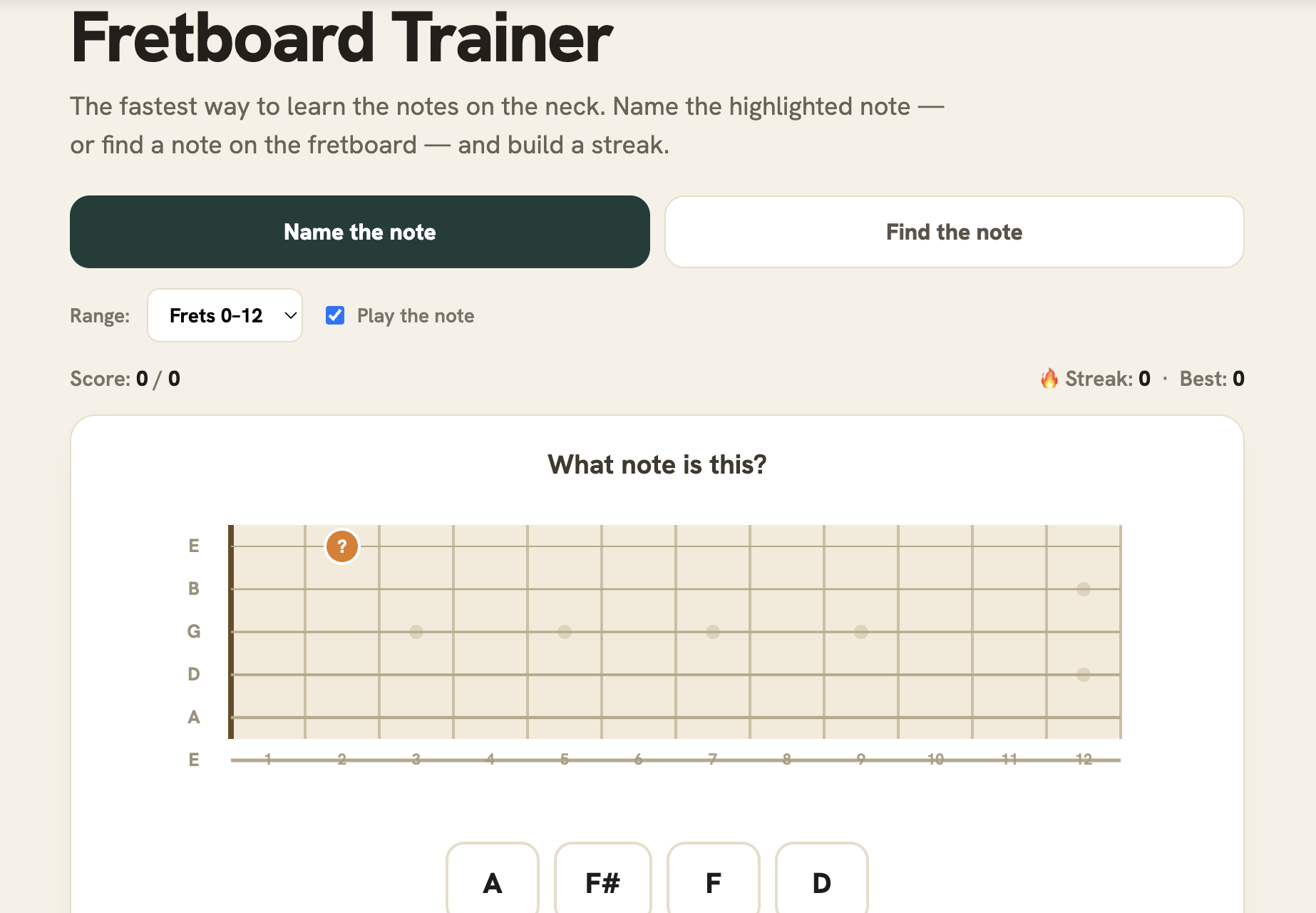
But skipping it has a cost, though. Every other skill (scales, arpeggios, moving chords around, talking to other musicians) gets easier when the neck becomes notes you recognize on sight.
So we made learning it a game, and there are two modes to our Fretboard Trainer:
- We highlight a spot on the fretboard and you name the note
- We name a note and you find it on the neck.
There’s a streak counter, which we all know is incredibly motivating. See how long of a streak you can go!
We also love that this is a three minute fun game you can play while your coffee brews. A few short sessions a week with this tool and you’ll be looking at the neck and KNOWING where things are.
Learn the E and A strings first, by the way. They’re the roots of your barre chords, so they pay off immediately.
BEST USED FOR:
- Learning the fretboard (finally)
- Killing time productively
- Beating your own streak
12. Guitar Ear Training
There are two kinds of guitarists: the ones who need tabs for everything, and the ones who can hear a song and find it. The difference is trained ears, and ears train like fingers do.. through repetition.
Similar to our Fretboard Trainer, our Guitar Ear Training tool gives you the reps in two games:
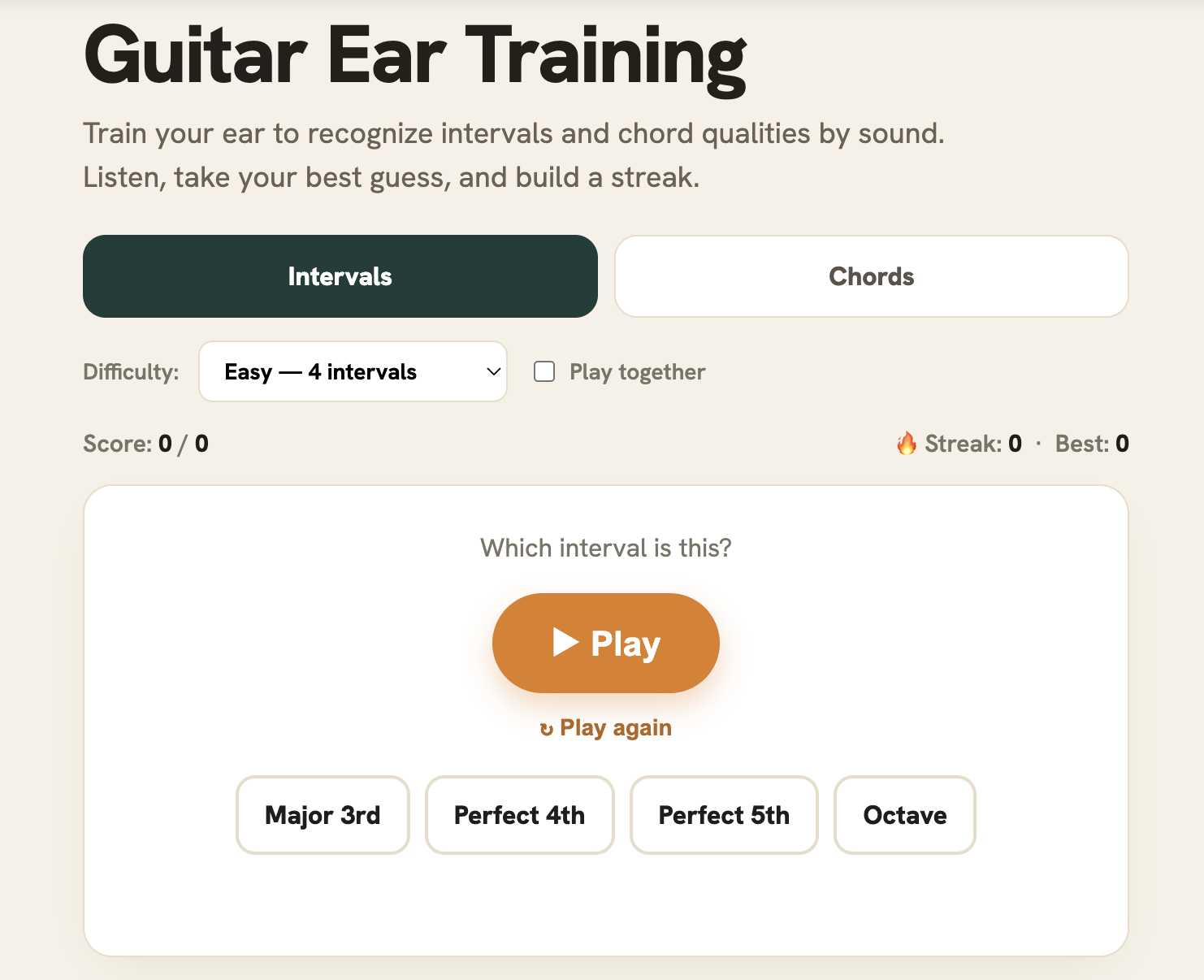
- In the interval game, you hear two notes and name the distance between them. This is the skill that helps you figure out melodies and riffs by ear.. every melody is just a chain of intervals, and once you recognize them, you can catch riffs off a recording in a fraction of the time.
- In the chord game, you hear a chord and name its quality.. major, minor, seventh, etc. This is the skill behind hearing a song’s chord changes without looking anything up.
You’ll pick the difficulty, so you can start easy and grow from there. You can also choose whether notes play together or one at a time, which are two different listening skills.
This is the least glamorous practice on this whole page and the highest ceiling. A few minutes a day with our tool, and within weeks you’ll notice it. Ears are the skill that makes every other skill easier to master.
BEST USED FOR:
- Learning songs by ear
- Hearing chord changes on records
How to turn these into a daily practice routine
Twelve tools is a lot, so here’s how I’d stack them into a 20-minute session:
- Minute 1: Tune up with the Online Tuner.
- Minutes 2-6: Use our Fretboard Trainer. Take five minutes and focus on one string per week.
- Minutes 7-11: Use our Ear Training tool. Do intervals first and chords later.
- Minutes 12-20: Real playing with the Metronome running. This would be a riff, a scale from the Scale Library, or a song you’re learning.
The rest of the tools (the chord finder, the transposer, the analyzer, the circle of fifths) aren’t necessarily daily-routine tools; they’re more so grab-when-you-need-them tools. Keep them bookmarked and open them for when a song or a jam needs it.
BOOKMARK THIS PAGE!
You don’t need all 12 tools today, but you’ll need most of them eventually, and they’re all free forever.
If you notice anything that needs to be changed, or you’d like to see more tools added, feel free to reach out to us via email at [email protected]!